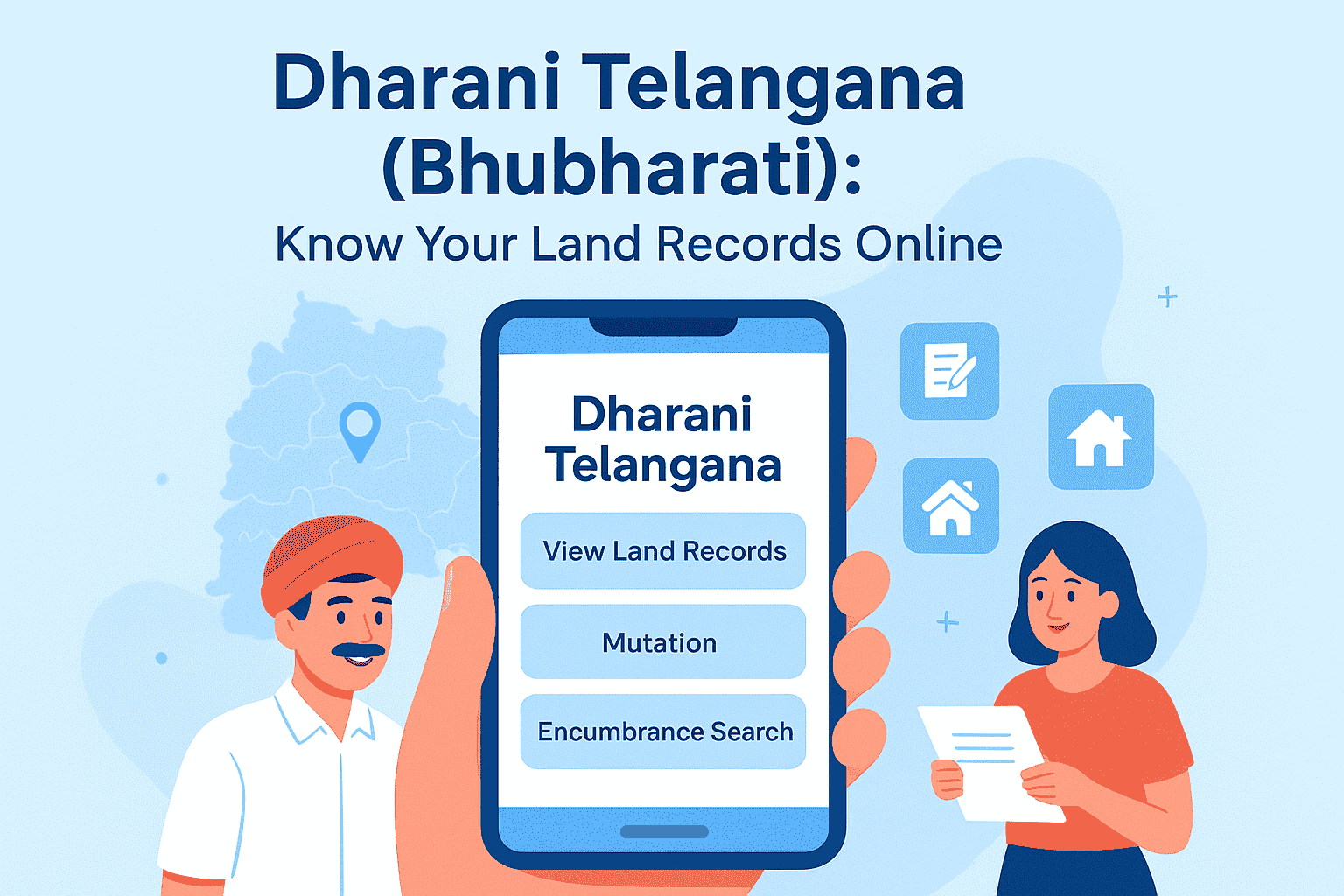
Bhulekh Telangana (Bhubharati): Know Your Land Records Online
In today’s digital era, managing land ownership and property affairs has been transformed by technology. The Dharani Telangana (Bhubharati) portal is a pioneering initiative by the Government of Telangana that digitizes land records, streamlines property registration, and facilitates mutation processes—all on a unified online platform.
Whether you are a farmer, property buyer, or legal professional, Dharani Telangana (Bhubharati) provides easy access to crucial land-related services.
This comprehensive guide covers everything you need to understand about the Dharani Telangana (Bhubharati) portal, its features, benefits, and how to use it effectively.
What Is Dharani Telangana (Bhubharati)?
The Dharani Telangana (Bhubharati) portal is an integrated land records management system implemented by the Revenue Department of Telangana. It merges land registration and revenue services into a single digital platform, helping citizens avoid multiple visits to different offices.
- “Dharani” means Earth or Land in Sanskrit.
- “Bhubharati” signifies India’s (Bharat’s) land governance.
Collectively, they embody the portal’s objective of promoting efficiency and transparency in the administration of land data throughout Telangana.
Objectives of Dharani Telangana (Bhubharati)
The portal seeks to address persistent issues in land administration through:
- ✅ Offering digital access to land ownership documents in real time
- ✅ Streamlining property registration and mutation procedures
- ✅ Eliminating corruption and reducing manual errors
- ✅ Enhancing transparency in land transactions
- ✅ Empowering citizens with direct digital access
- ✅ Supporting government planning and rural development
This modernization through Dharani Telangana (Bhubharati) represents a quantum leap in land governance.
Departments Involved
Multiple government departments collaborate to deliver a seamless experience:
- Revenue Department
- Registration and Stamps Department
- Survey and Settlement Department
- Information Technology Department
This integration ensures that all land services are centralized for citizen convenience.
Key Features of Dharani Telangana (Bhubharati)
| Feature | Description |
| 📄 View Land Records | Check ownership details, survey numbers, and land use classification |
| 📝 Online Mutation | Submit applications for ownership changes via sale, inheritance, or gift |
| 🏠 Property Registration | Book appointments and complete property registration online |
| 🔍 Encumbrance Search | Verify legal claims or liabilities on land or property |
| 🗺️ Land Map Viewing | Access geo-tagged maps showing plot boundaries |
| 📥 Download Pattadar Passbook | Download authenticated digital copies of ownership documents |
| 📅 Slot Booking for Registration | Schedule registration appointments conveniently |
| 📱 Mobile-Friendly Interface | Use the portal seamlessly on smartphones and tablets |
Benefits of Using Dharani Telangana (Bhubharati)
- 🕒 Time Savings: No need for multiple visits or long waits
- 📄 Legal Validity: Documents from the portal are officially recognized
- 🔍 Enhanced Transparency: Minimizes fraud and illegal land dealings
- 📱 24/7 Accessibility: Accessible at any moment from any device *
- 🧑🌾 Farmer Empowerment: Empowerment of Farmers: **Enables loans and subsidies by confirming land ownership
- 🏠 Buyer Confidence: Enables secure property verification before purchase
- 🧠 Educational Resource: Useful for legal and land management studies
How to Use Dharani Telangana (Bhubharati): Step-by-Step Guide
Step 1: Visit the official website → dharani.telangana.gov.in
Step 2: Select your service → “View Land Details,” “Slot Booking,” “Mutation,” or “Encumbrance Search.”
Step 3: Provide required information:
- Survey number
- Pattadar (owner) name
- District and Mandal
- Mobile number (for OTP verification)
Step 4: Submit and retrieve information → View records, download documents, or complete transactions online.
How to View Land Maps
- Visit the portal’s homepage
- Click on “View Land Details”
- Enter your survey number and location details
- Access **geo-tagged maps** that display the borders of the plot and nearby lands.
This feature helps resolve disputes and plan property usage.
Understanding Key Terms
- Pattadar: Registered landowner
- Survey Number: Unique ID for each land parcel
- ROR: An official document that describes land use, tenure, and rights is called the Record of Rights (ROR).
- Mutation: Update process after ownership changes
- Encumbrance: Legal claims, liabilities, or dues on a property
- Slot Booking: Online appointment scheduling for property registration
Mobile Access Tips
Although there is no dedicated app, the website is mobile-optimized. For smooth use:
- Use updated browsers (Chrome, Firefox)
- Enable pop-ups for downloads
- For OTP verification, keep your registered mobile number handy.
- All major functions can be performed on a smartphone anytime, anywhere.
Dharani Telangana (Bhubharati) for Farmers
Farmers benefit through:
- ✅ Easy access to verified land ownership for crop loans
- ✅ Downloading Pattadar Passbook for subsidies and benefits
- ✅ Mutation applications for sale or inheritance
- ✅ Accurate land maps to resolve boundary disputes
- ✅ Checking legal liabilities before leasing land
Dharani Telangana (Bhubharati) for Property Buyers
Property buyers can:
- 🔍 Verify ownership and land use classification
- 📄 Check encumbrance status to avoid legal issues
- 📝 Book registration slots online
- 📥 Download legally valid documents
- 🧭 Access detailed geo-tagged property maps
Dharani Telangana (Bhubharati) for Legal Professionals
Legal experts use the portal for:
- 📑 Accessing authenticated land records for cases
- 🕵️ Checking encumbrance status on properties
- 📝 Facilitating mutation and registration digitally
- 📥 Downloading official documents for proceedings
Conclusion
The Dharani Telangana (Bhubharati) portal is a landmark initiative revolutionizing how land records are maintained and accessed.
It brings transparency, efficiency, and convenience to land management for citizens, farmers, buyers, and legal professionals. By digitizing services and integrating departments, Telangana has set a benchmark for modern land governance in India.
👉 Experience the future of land management now at dharani.telangana.gov.in
Frequently Asked Questions (FAQs)
- What is Dharani Telangana (Bhubharati)?
It is Telangana’s official online portal for integrated land records, registration, and mutation services. - Is it free to use?
Most services are free; some require nominal fees. - Can I download my Pattadar Passbook?
Yes, digital copies are available. - How can I apply for mutation online?
Go to “Mutation,” fill in details, upload documents, and submit. - Are documents legally valid?
Yes, recognized by banks, courts, and government agencies. - Is there a mobile app?
No, but the portal is mobile-optimized. - How often are records updated?
Regularly, especially after registrations and mutations. - What if I find errors?
Visit the local Tahsildar office with documents; track status online. - Can I register property fully online?
Slot booking is online, but final registration requires visiting centers. - How to check encumbrances?
Use the “Encumbrance Search” feature on the portal.
- Read More Faqs: Bhulekh Telangana Faqs
Read Also: Bhu Naksha Telangana: View & Download Telangana Land Maps Online
Read Also: Land Record Telangana: Check Pahani, ROR 1B Online on Dharani Portal
Explore Categories: