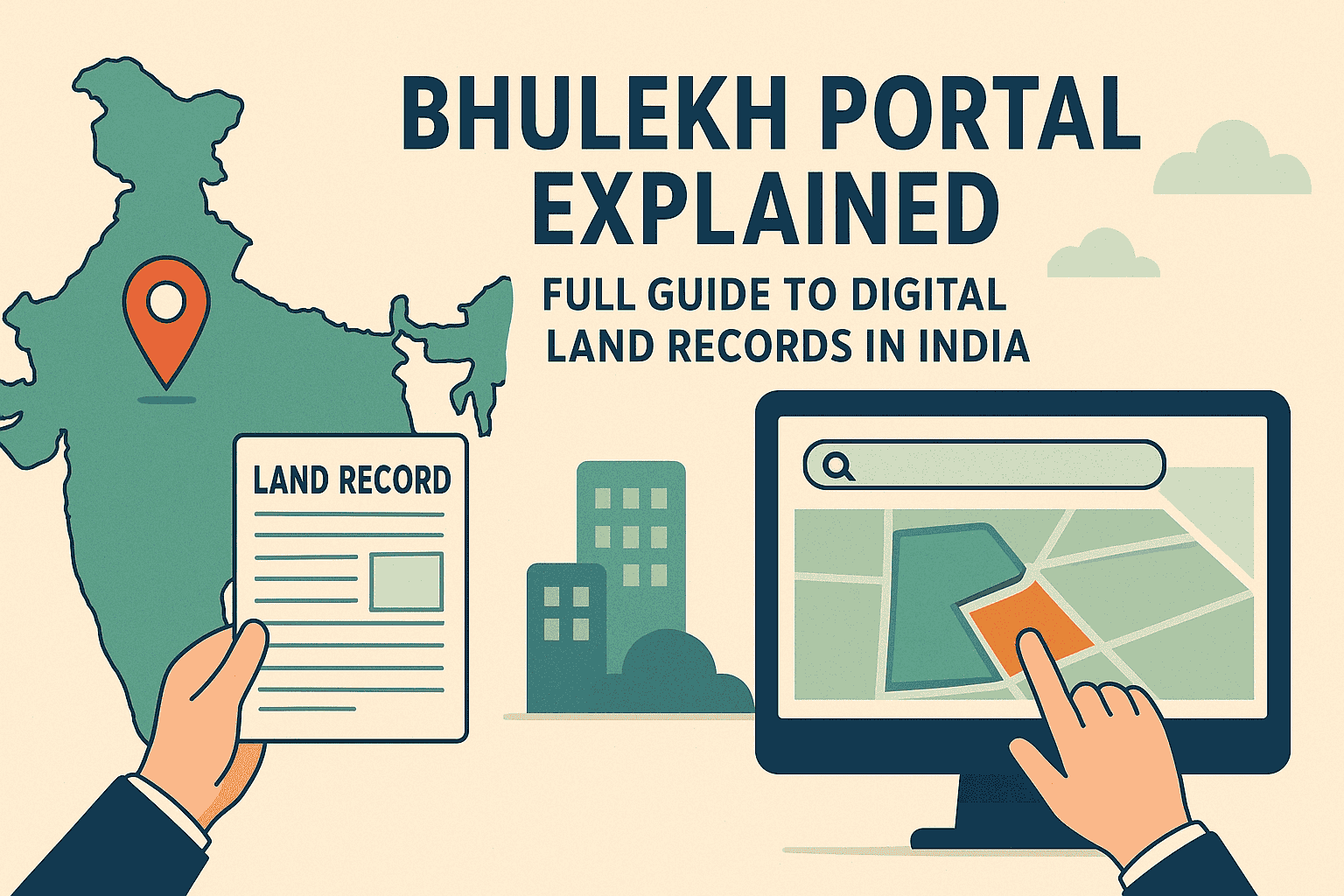
Bhulekh Portal Explained: Full Guide To Digital Land Records in India
India has made remarkable progress in digitizing land ownership records under the Digital India Land Records Modernization Programme (DILRMP). Today, citizens can check ownership details, land maps, mutation status, and other records online without visiting Tehsil or Revenue Offices.
This guide explains the Bhulekh portal, state-wise and Union Territory digital land record portals, their services, features, and benefits, helping farmers, buyers, and property owners access official land records easily.
Understanding Bhulekh Portal
The Bhulekh Portal developed under the Digital India Land Records Modernisation Programme (DILRMP) enables every Indian citizen to check, verify, and download their land information online, without visiting revenue offices.
Why State Land Record Portals Are Important
Online land record portals help citizens:
- Verify land ownership details
- Reduce land disputes and fraud
- Save time and travel costs
- Access government-verified land data
- Support property buying, selling, and loans
Each state operates its portal through its Revenue or Land Records Department, following state-specific land laws.
Major Services Available on Bhulekh Portal
Each state’s Bhulekh website offers slightly different options, but key services include:
| Service | Description |
| Jamabandi / Khatauni / ROR View | Check Record of Rights for any plot. |
| Khasra Details | View survey number, land type, and owner info. |
| Bhu Naksha | GIS-based digital map of your land parcel. |
| Mutation Status | Track pending or approved name transfer. |
| Land Ownership Verification | Confirm registered owner details online. |
| Certified Copy Download | Get official digital extracts for legal purposes. |
How to Use the Bhulekh Portal
- Visit your state’s Bhulekh website (see full list below).
- Choose View Jamabandi / Khatauni / ROR.
- Select District → Tehsil → Village.
- Enter your Khasra / Khata number or Owner’s Name.
- Click Search / View Details.
- Download or print your record if needed.
State-Wise Land Record Portals in India: Features, Services & Benefits
Andhra Pradesh – MeeBhoomi
🔗 Official Website: https://meebhoomi.ap.gov.in
Services
- Record of Rights (ROR – 1B)
- Adangal (Village Account No. 2)
- Field Measurement Book (FMB)
- Electronic Pattadar Passbook
Key Features
- Aadhaar-linked land records
- Real-time revenue data
- Digitally downloadable documents
Benefits
- Easy land ownership verification
- Useful for farmers, buyers, and banks
- Reduces manual errors and corruption
Arunachal Pradesh – Land Records Portal
🔗 Official Website: https://landrecords.arunachal.gov.in
Services
- Digitized land ownership data
- Survey and settlement records
Key Features
- Online access to basic land details
- Digitization under central guidelines
Benefits
- Improves transparency in rural and tribal areas
- Reduces reliance on physical records
Assam – Dharitree (ILRMS)
🔗 Official Website: https://revenueassam.nic.in
Services
- Jamabandi (Record of Rights)
- Land Patta details
- Mutation status
Key Features
- Integrated Land Records Management System
- Village-level data access
Benefits
- Simplifies land verification
- Helps prevent illegal land transfers
Bihar – Bhulekh Bihar
🔗 Official Website: https://biharbhumi.bihar.gov.in
Services
- Khata, Khesra, Register-II
- Online mutation services
- Land tax payment
Key Features
- Digitally signed records
- Online correction facilities
Benefits
- Saves time for landowners
- Useful for disputes, loans, and registry work
Chhattisgarh – Bhuiyan
🔗 Official Website: https://bhuiyan.cg.nic.in
Services
- Khasra & Khatauni
- Land map viewing
- B-1 land records
Key Features
- Simple, user-friendly interface
- Village-wise data availability
Benefits
- Easy access for rural users
- Transparent ownership records
Goa – DSLR Goa
🔗 Official Website: https://dslr.goa.gov.in
Services
- Form I & XIV
- Survey and cadastral plans
- Partition records
Key Features
- Digitized survey documents
- Legal land record access
Benefits
- Helpful for property buyers
- Reduces boundary disputes
Gujarat – AnyROR / e-Dhara
🔗 Official Website: https://anyror.gujarat.gov.in
Services
- 7/12 extract
- 8A Khata
- Mutation details
Key Features
- Digitally signed documents
- Historical land data tracking
Benefits
- High legal reliability
- Widely accepted by banks
Haryana – Jamabandi / HALRIS
🔗 Official Website: https://jamabandi.nic.in
Services
- Jamabandi
- Mutation status
- Khasra Girdawari
Key Features
- Registration-linked records
- Historical land data
Benefits
- Reduces land fraud
- Faster property verification
Himachal Pradesh – HimBhoomi
🔗 Official Website: https://lrc.hp.nic.in
Services
- Jamabandi
- Tatima (land maps)
- Shajra Nasab
Key Features
- Genealogy-based land records
- Map-linked ownership data
Benefits
- Useful for inheritance cases
- Accurate hill-area mapping
Jharkhand – Jharbhoomi
🔗 Official Website: https://jharbhoomi.nic.in
Services
- Khatian & RoR
- Mutation tracking
- Land maps
Key Features
- Tribal land record coverage
- Plot-wise search
Benefits
- Protects tribal land rights
- Prevents illegal encroachment
Karnataka – Bhoomi
🔗 Official Website: https://landrecords.karnataka.gov.in
Services
- RTC (Record of Rights, Tenancy & Crops)
- Mutation reports
- Survey sketches
Key Features
- One of India’s earliest digital land systems
- Highly accurate database
Benefits
- Accepted in courts
- Essential for agricultural loans
Kerala – e-Rekha / ReLIS
🔗 Official Website: https://erekha.kerala.gov.in
Services
- Land ownership records
- Cadastral maps
Key Features
- Map-based land search
- Digitized survey plans
Benefits
- Accurate boundary identification
- Useful for urban planning
Madhya Pradesh – MP Bhulekh
🔗 Official Website: https://mpbhulekh.gov.in
Services
- Khasra details
- B-1 form
- Land maps
Key Features
- Real-time land data
- Village-wise access
Benefits
- Quick land verification
- Useful for farmers and buyers
Maharashtra – MahaBhulekh
🔗 Official Website: https://mahabhulekh.maharashtra.gov.in
Services
- 7/12 extract
- 8A extract
- Property Card
Key Features
- Region-wise access
- Urban and rural coverage
Benefits
- Essential for property registration
- Reduces land disputes
Odisha – Bhulekh Odisha
🔗 Official Website: https://bhulekh.ori.nic.in
Services
- Record of Rights (RoR)
- Plot map view
Key Features
- Simple interface
- District-wise search
Benefits
- Transparent land ownership
- Helpful in land reforms
Punjab – PLRS (Punjab Land Record Society)
🔗 Official Website: https://jamabandi.punjab.gov.in
Services
- Jamabandi
- Mutation details
- Registry information
Key Features
- Professionally managed system
- Strong verification process
Benefits
- Reduces fraud
- Accurate agricultural land data
Rajasthan – Apna Khata
🔗 Official Website: https://apnakhata.raj.nic.in
Services
- Jamabandi
- Khasra details
Key Features
- Multi-language support
- Rural-friendly interface
Benefits
- Saves Tehsil visits
- Transparent land data
Tamil Nadu – Patta Chitta
🔗 Official Website: https://eservices.tn.gov.in
Services
- Patta & Chitta
- Encumbrance Certificate
Key Features
- Registration-linked records
- Urban & rural land coverage
Benefits
- Legally strong documentation
- Essential for property transactions
Telangana – Dharani
🔗 Official Website: https://dharani.telangana.gov.in
Services
- Land records
- Registration
- Mutation
Key Features
- Fully integrated system
- Single-window platform
Benefits
- Faster land transactions
- Eliminates manual processes
Uttar Pradesh – UP Bhulekh & Bhunaksha
🔗 Official Website: https://upbhulekh.gov.in
Services
- Khatauni
- Khasra
- Village land maps
Key Features
- Bhulekh + Bhunaksha integration
- Large-scale land database
Benefits
- Helps resolve land disputes
- Widely used by farmers
West Bengal – Banglarbhumi
🔗 Official Website: https://banglarbhumi.gov.in
Services
- Khatian details
- Plot information
- Mutation status
Key Features
- Mouza map integration
- User-friendly design
Benefits
- Clear ownership data
- Helpful for land buyers
Union Territory Land Record Portals in India
Delhi (NCT)
🔗 https://dlrc.delhigovt.nic.in
Jammu & Kashmir
Ladakh
Chandigarh
Puducherry
Andaman & Nicobar Islands
Dadra & Nagar Haveli and Daman & Diu
Lakshadweep
How to Check Bhulekh Online (Example: UP Bhulekh Portal)
- Visit upbhulekh.gov.in.
- Click “View Imitation of Khatauni.”
- Choose District → Tehsil → Village.
- Search by Owner Name / Khasra Number / Gata Number.
- View and download your land record instantly.
How to Check Land Ownership Details on Bhulekh Portal Online
- Open your state Bhulekh site.
- Enter owner’s name or khasra details.
- The portal displays name of current owner, plot area, and mutation date.
Documents Required to Change Name in Bhulekh Land Records
| Document | Purpose |
| Sale Deed / Gift Deed / Will / Partition Deed | Proof of ownership transfer. |
| Mutation Application Form | To request name update. |
| Identity Proof (Aadhaar / PAN / Voter ID) | Verification of applicant. |
| Address Proof | Current residence of owner. |
| Death Certificate (if applicable) | For inheritance cases. |
| Affidavit & NOC | Legal confirmation. |
How to Change Name in Bhulekh Land Records Online
- Visit the Revenue Department / Bhulekh website.
- Login using Aadhaar / mobile number.
- Fill Mutation (Name Change) Form online.
- Upload supporting documents.
- Pay the required fee (if applicable).
- Track mutation status via the “Check Status” tab.
- Once approved, the new name appears in the Bhulekh record.
How to Change Name in Bhulekh (Offline Method)
- Visit your local Tehsil / Revenue Office.
- Collect and fill the Mutation Application Form.
- Attach sale deed, ID proof, and other documents.
- Submit to the Patwari or Tehsildar.
- After verification, records are updated offline.
How to Address Spelling Errors in Bhulekh Land Records Online
If your name or Khasra number is misspelled:
- Login to your state Bhulekh website.
- Navigate to “Correction / Grievance” section.
- Submit correction request with scanned documents.
- Track status until correction is approved.
List of Documents Required for Name/Spelling Correction
- Aadhar card
- Proof of correct name (PAN, Voter ID, etc.)
- Property ownership deed
- Application for correction
- Recent passport-size photo
Conclusion
The Bhulekh Portal has transformed India’s land administration into a modern, transparent, and digital ecosystem. Although each state and Union Territory follows its own land laws and record formats, the core objective remains the same to provide transparent, accessible, and secure land ownership information to citizens.
🌍 Bhulekh India – One Nation, One Digital Land Record Platform.
FAQs
A: Bhulekh (भूलेख) literally means land records. It’s the digital platform (state-wise) that stores ownership data, Khatauni/Khata, Khasra numbers, ROR (Record of Rights), mutation history and often cadastral maps (Bhu Naksha).
A: No. Bhulekh holds ownership/record data (RoR, Khata, Jamabandi). Bhu Naksha is the map/GIS view showing parcel boundaries and Khasra numbers. Many portals link both.
A: Typical services: view/download Jamabandi/RoR/Khatauni, search by owner/Khasra/plot, view Bhu Naksha maps, check mutation status, apply for corrections or mutations, and download certified extracts.
A: Visit your state Bhulekh site → choose District → Tehsil → Village → search by Owner Name / Khasra / Khata → view owner name, area and mutation entries → download if needed.
A: From the Bhulekh or linked Bhu Naksha page, select district/tehsil/village and enter plot/Khasra number. The map opens with zoom and download/print options (where available).
A: Online extracts are accepted as reference and for many administrative uses; for legal or sale registration you may need a certified/attested copy from the revenue office as per state rules.
A: Common documents: sale deed / gift deed / partition deed / succession certificate / will (as applicable), mutation application, identity proof (Aadhaar/PAN/Voter ID), address proof, death certificate (if inheritance), affidavit/NOC when needed.
A: Login to your state Bhulekh/mutation portal → fill the Mutation/Name-Change form → upload supporting documents (deed, ID, etc.) → pay fees if applicable → track application → record updated after verification.
A: Visit the local Tehsildar/Patwari/Revenue office → submit the mutation application and original documents → revenue officials verify on-site → records updated via the office workflow.
A: Use the portal’s Correction/Grievance function (if available) or submit an application at the revenue office with proof of correct spelling (Aadhaar, PAN). The office will verify and update the record.
A: Try alternate search modes (Khata/Khasra vs owner name). If data is still missing, visit the local revenue office records might be pending digitization or under mutation.
A: Time varies by state and workload. After submission and verification it can take from a few weeks to several months. Use the portal’s application tracking to monitor progress.
A: Basic search is generally free. Some states may charge a nominal fee for certified extracts or printed attested copies check your state portal for exact charges.
A: Yes banks and buyers commonly use Bhulekh extracts for due diligence, though lenders often request certified/attested copies and title searches before loan approval.
A: Most state portals provide a “Mutation Status” or “Application Status” section—enter application or reference number to view. Otherwise visit Tehsil office.
A: First contact the local Patwari / Revenue Inspector / Tehsildar listed on the portal. If unresolved, escalate to the Dharani/Bhulekh grievance cell or state revenue department helpline.
A: Faster access, reduced fraud, easier transaction due diligence, simplified subsidy/benefit distribution, and improved planning through integrated maps and records.
A: Khasra (plot number), Khata/Khatauni (family holding register), Jamabandi (RoR), Mutation (name transfer), ROR (Record of Rights), Bhu Naksha (map).
A: Several states provide official mobile apps for Bhulekh/BhuNaksha. Check your state portal or app store for the official app (avoid third-party apps unless verified).
A: Collect portal extracts, visit local revenue/tehsil office for a field inspection, request rectification or survey if needed, and use legal remedies if the dispute persists.
A: Yes use Owner Name or Village/Block filters. Results may be broader; refining with additional details (father/husband name, survey area) helps.
A: Not always. Updates depend on the local revenue office’s data entry and verification—digital update times vary by state and process.
A: Buyers can verify owner name, pending mutations, area, encumbrances and view the cadastral map this reduces risk and supports title searches.
A: Bhulekh displays ownership data which is public record in India. However, portals follow government data policies; for privacy or misuse concerns contact the state revenue authority.
A: Link directly to the official state portal; do not republish full records without permission. When in doubt, use summarized guidance and link to the source.
Related Articles:
What is Bhulekh Khatauni? Complete Guide to Land Records in India
How to Check Land Records Online in India: Complete Guide
Land Records Information System in India | Digital Land Records
J&K Land Records Information System- Check J&K Jamabandi Records
Explore Categories: