How to Check Land Ownership Online in India (Step-by-Step Guide 2026)
Buying, selling, or inheriting property in India requires one crucial step verifying land ownership. Earlier, this meant visiting government offices, dealing with paperwork, and waiting for days or weeks. But now, thanks to India’s digital land record systems, you can check land ownership online in just a few minutes.
In this guide, you’ll learn:
✔ What land ownership means ✔ Why verification is important ✔ How to check land ownership online state-wise ✔ Required details ✔ Common mistakes to avoid
What Is Land Ownership?
Land ownership refers to the legal right of a person or entity over a piece of land. It is recorded in official government documents such as:
- Khata / Patta
- Jamabandi
- Record of Rights (RoR)
- Khasra & Khatauni
- Adangal / Pahani
- RTC (Record of Tenancy & Crops)
These documents prove:
✔ Who owns the land ✔ Land size and boundaries ✔ Land type (agricultural/residential/commercial) ✔ Mutation history ✔ Encumbrances (if any)
Why You Must Verify Land Ownership
Before purchasing or inheriting any land, you should always verify ownership to avoid:
❌ Property fraud
❌ Fake sellers
❌ Disputed land
❌ Court cases
❌ Bank loan rejection
❌ Illegal occupation
Checking land ownership ensures legal safety, transparency, and peace of mind.
Can You Check Land Ownership Online in India?
Yes! Almost every Indian state has its own official land record portal under the Digital India Land Records Modernization Programme (DILRMP).
You can check land ownership details online using:
- Owner name
- Khata number
- Khasra number
- Plot number
- Survey number
- Village name
What Details Do You Need?
To check land ownership online, keep these ready:
| Required Info | Example |
| State | Uttar Pradesh |
| District | Lucknow |
| Tehsil / Taluka | Malihabad |
| Village | XYZ |
| Khasra / Survey No. | 123 |
| Khata No. | 456 |
How to Check Land Ownership Online Step-by-Step
Step 1: Visit Your State’s Official Land Records Portal
Every state has a different portal. Examples:
| State | Portal |
| Uttar Pradesh | Bhulekh UP |
| Maharashtra | Mahabhulekh |
| Karnataka | Bhoomi |
| Andhra Pradesh | Meebhoomi |
| Telangana | Dharani |
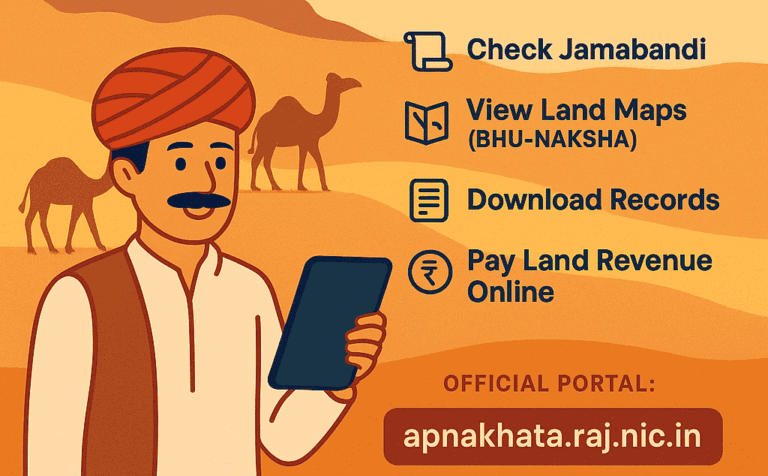
| Rajasthan | Apna Khata |
| Madhya Pradesh | MP Bhulekh |
| Bihar | Bhulekh Bihar |
| West Bengal | Banglar Bhumi |
| Haryana | Jamabandi |
Step 2: Select Your District, Tehsil & Village
After opening the portal:
- Choose district
- Select tehsil
- Pick village
Step 3: Search by Land Detail
You can search using:
✔ Khasra number
✔ Khata number
✔ Plot number
✔ Owner name
Step 4: View Ownership Details
Once you submit, the portal shows:
- Owner name
- Father/Husband name
- Land area
- Plot number
- Land type
- Cultivable status
- Mutation info
Step 5: Download or Print
Most portals allow:
PDF download
Print option
How to Check Land Ownership by State
Every state in India has its own official land records portal, designed to make property verification simple and accessible. While the process is broadly similar, the names of the portals and the steps can vary from state to state.
Here are some of the most popular portals you can use to check land ownership online:
- Bhulekh UP – Uttar Pradesh
- Meebhoomi AP – Andhra Pradesh
- Dharani Telangana – Telangana
- Mahabhulekh – Maharashtra
- Bhoomi Karnataka – Karnataka
- Jamabandi Haryana – Haryana
- Apna Khata Rajasthan – Rajasthan
- MP Bhulekh – Madhya Pradesh
- Bhulekh Bihar – Bihar
- Banglar Bhumi – West Bengal
- Bhunaksha Maps – Digital cadastral maps available across multiple states
Each portal provides state‑specific access to land records, including ownership details, mutation history, and cadastral maps.
Read Also: What is Bhulekh? Meaning, Purpose & Importance in India
What Is a Record of Rights (RoR)?
RoR (Record of Rights) is the primary land ownership document that contains:
- Owner name
- Land classification
- Area measurement
- Rent details
- Rights & liabilities
RoR is known by different names:
- Jamabandi – Haryana, Punjab
- Patta – Tamil Nadu
- RTC – Karnataka
- Pahani – Telangana
Is Online Land Record Legally Valid?
Yes, online land records are official government records, but:
⚠ They are informational
⚠ Not a legal ownership certificate
⚠ For court or sale, certified copy is required
How to Get a Certified Copy?
- Visit Tehsil office
- Apply through state portal
- Use CSC centers
- Request e-District services
Common Mistakes to Avoid
❌ Not matching name spelling
❌ Ignoring mutation history
❌ Not checking land classification
❌ Not verifying boundary maps
❌ Believing verbal claims
❌ Skipping encumbrance check
Check Land Map (Bhunaksha)
Land maps help verify:
✔ Plot boundaries
✔ Neighboring plots
✔ Shape of land
✔ Exact location
Most states offer Bhunaksha or cadastral map services.
Read Also: What is Bhunaksha or Land Map?
How to Check Land Ownership Offline
If online access is not available:
- Visit Tehsil / Taluka office
- Ask for RoR extract
- Submit application
- Pay nominal fee
- Collect certified copy
Benefits of Online Land Records
✔ 24/7 access
✔ No middlemen
✔ Transparency
✔ Reduced fraud
✔ Time-saving
✔ Eco-friendly
Final Thoughts
Checking land ownership online in India is now easy, fast, and transparent. With just a few details, you can verify the legal status of any property in minutes. This step protects you from fraud and ensures safe property transactions.
Explore more at Bhulekh India.
FAQs
No, Aadhaar is not mandatory.
Mostly yes, but some villages may still have partial records.
No, you need a certified copy.
Yes, viewing is free. Certified copies may cost ₹10–₹50.
Read Also: Property Ownership Verification Using Khata / Patta in India
Explore Categories: